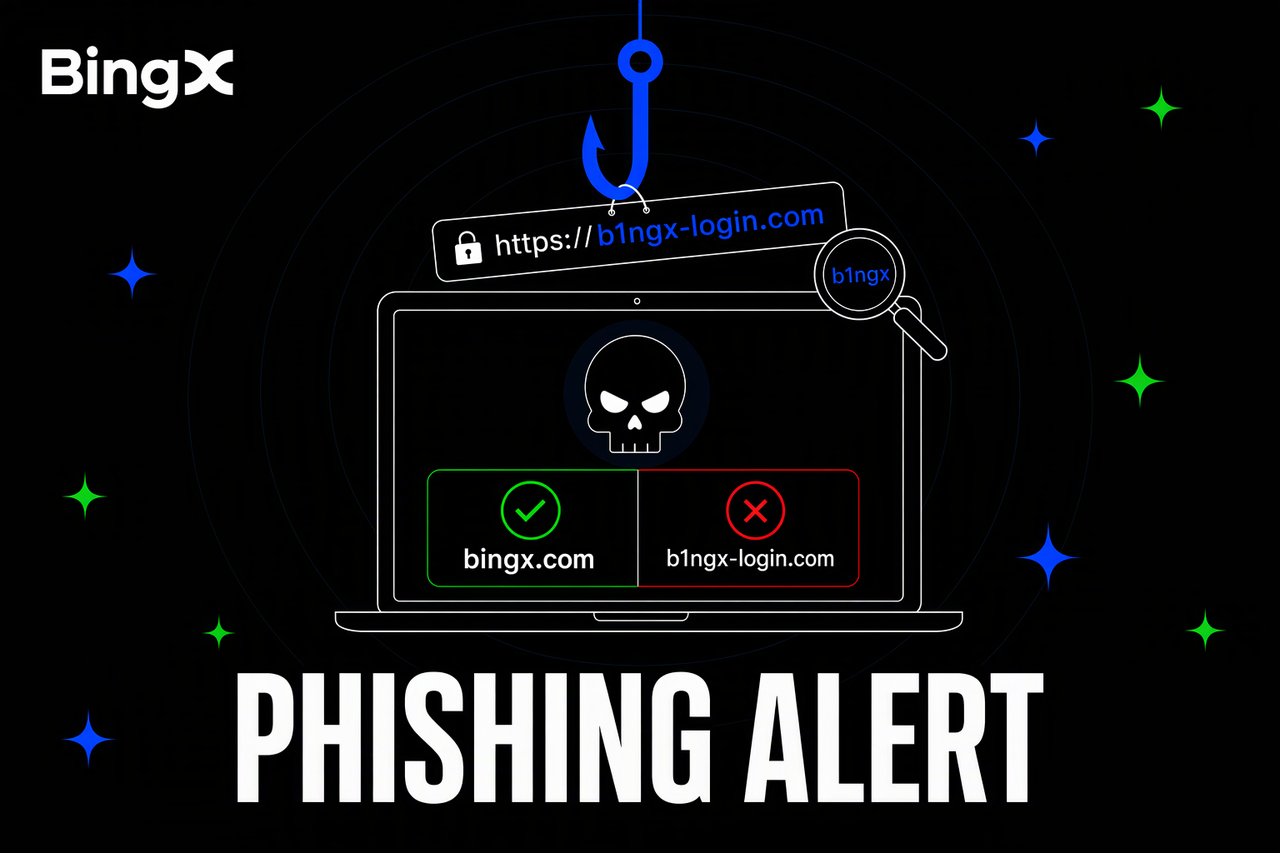
Phishing is a common security threat in cryptocurrency trading. Scammers create fake websites, send misleading security alerts, and impersonate customer support to steal login details or crypto assets. These attacks can target users of exchanges such as BingX, as well as people using external crypto wallets, browser extensions, and decentralized finance (DeFi) applications.
While phishing scams often use similar tactics, the information they try to steal can differ. Fake exchange websites typically target passwords and verification codes, while wallet-related scams may attempt to obtain private keys, recovery phrases, or approval to transfer funds. Recognizing these warning signs and understanding how each scam works can help users protect their accounts and crypto assets.
What Are the 3 Most Common Types of Phishing Scams?
Phishing scams use fake websites, messages, and support accounts to steal passwords, verification codes, or wallet information. Scammers often copy the appearance of trusted platforms and create urgent situations to trick users into sharing sensitive information. Three common methods include:
- Fake websites: Scammers create websites that look almost identical to BingX or other legitimate platforms. They may replace letters with numbers (for example, i → 1, o → 0, l → I), add misleading words (such as bingx-security.com), or use deceptive subdomains (such as app.bingx.scam.com, which belongs to scam.com). These fake websites copy official logos and login pages, but passwords and verification codes entered on them can be stolen.
- Fake notifications: Scammers send emails or direct messages pretending to be official security alerts or reward notifications. Messages such as "Confirm immediately or your account will be frozen" or "Claim your reward today" pressure users to click suspicious links. These links often lead to fake login pages designed to collect account information.
- Fake support and wallet extensions: Scammers impersonate customer support on Telegram or social media, asking users to share verification codes or follow instructions to resolve fake account problems. Separately, malicious browser extensions may imitate popular crypto wallets, sometimes using fake reviews or download counts to appear legitimate. They can trick users into revealing recovery phrases or approving transactions that allow attackers to steal wallet assets.
Phishing attacks can also target experienced crypto users. Reported incidents in early 2026 involved fake wallet-update notices that tricked users into approving malicious requests, while counterfeit wallet extensions were reportedly linked to more than $2 million in losses within one week. These cases highlight how convincing websites, messages, and extensions can lead to stolen credentials and crypto assets.
Read More: Top Crypto Phishing Scams to Know and How to Spot Them in 2026
How to Recognize Phishing Scams: 3 Simple Checks
Phishing scams often look convincing because they copy official websites, security alerts, and customer support messages. Checking the website address, message content, and urgency can help users identify suspicious requests before sharing sensitive information.
- Check the URL: Access BingX through its official website or app rather than links received through unfamiliar emails, messages, or social media accounts. Use BingX Verify to confirm whether a website, email address, or social media account is official. For external wallets and DeFi platforms, verify links through their official channels. Remember that HTTPS and a padlock icon do not guarantee a website is legitimate.
- Check the message: Legitimate security alerts may include details such as login time, location, or device information. Be suspicious of messages asking users to enter passwords, verification codes, private keys, or wallet recovery phrases through a link. Official customer support should never require users to disclose these credentials.
- Check the urgency: Scammers use warnings such as "Your account will be frozen immediately" or offers such as "Claim your reward today" to pressure users into acting quickly. Instead of following the link, open the official website or app independently to check whether any action is required.
4 Security Habits to Protect Crypto Accounts and Wallets
Protecting crypto assets requires different security measures for exchange accounts and personal wallets. The following four practices can help prevent phishing attacks, unauthorized access, and potential asset theft.
- Download apps from official sources: Access BingX through its official website or trusted app stores. Before installing external wallet extensions, verify the developer and download source. Avoid unfamiliar links shared through emails, social media, or private messages.
- Strengthen your BingX account security: Use the BingX Security Center to enable Google Authenticator, passkeys, and anti-phishing codes. Regularly review login activity and authorized devices to identify suspicious access and protect your account.
- Keep wallet credentials private: Never share private keys, recovery phrases, passwords, or verification codes, even with someone claiming to offer customer support. Store wallet recovery information securely and avoid entering it on unfamiliar websites or browser extensions.
- Review wallet permissions regularly: Connecting a wallet to a DeFi application may grant smart contracts permission to access certain tokens. Check and revoke unnecessary approvals through trusted tools, and consider keeping long-term holdings in a separate wallet from funds used for frequent trading.
How to Recover From a Crypto Phishing Scam and Protect Your Remaining Assets
If you suspect a phishing attack, act quickly to protect your account and remaining assets. The right response depends on whether you clicked a suspicious link, shared login credentials, approved a malicious transaction, or exposed your wallet's recovery phrase.
- Stop using the suspicious website immediately: Close the page, stop any further transactions, and uninstall suspicious browser extensions. Avoid entering additional passwords, verification codes, or wallet information.
- Change your password and reset verification: If your BingX account may be compromised, change your password through the official BingX app or website. Use a new, unique password and reset two-factor authentication (2FA) if necessary. Review login history, authorized devices, and account security settings for suspicious activity.
- Revoke suspicious wallet approvals: Review recent wallet transactions and revoke any suspicious smart-contract permissions using trusted tools. Remove malicious browser extensions and check for unauthorized transfers. Disconnecting a wallet from a website does not automatically revoke existing approvals.
- Report the incident through official channels: If an external Web3 wallet is affected, contact the wallet provider and report the compromised address to relevant on-chain risk databases where supported. For BingX-related incidents, contact BingX Support with details such as the incident time, transaction hashes, and fund movements.
- Keep evidence and file a report: Save suspicious links, email screenshots, messages, wallet addresses, and transaction records. Report the incident to local law enforcement when appropriate, and avoid anyone promising guaranteed recovery of stolen crypto.
How to Verify Someone Claiming to Be BingX Customer Support
Scammers may impersonate BingX customer support through Telegram, social media, email, or phone calls. Official BingX support will never ask for passwords, verification codes, or wallet recovery phrases (seed phrases) through these channels. Representatives will also never request fund transfers through private messages or ask users to send crypto to resolve account issues.
If someone claiming to be BingX support contacts you, verify their identity through the Help Center or Contact Support option in the official BingX app before continuing the conversation. You can also use BingX Verify to check official websites, email addresses, and social media accounts. These tools verify BingX-related communications, not unrelated wallet applications, DeFi websites, or third-party recovery services.
Risk Reminder: Phishing scams can lead to compromised accounts, stolen credentials, and irreversible crypto losses. Security tools reduce risks but cannot guarantee complete protection. Crypto trading also involves volatility and potential loss of principal. This article is for security education only, not investment advice. Always verify official channels and contact BingX Support for account-related concerns.
